VisPlan Flywheel

How to improve your business outcomes by visualizing your game plan

How do you make sure everyone in your company understands your strategy and how to implement it in daily work?  

Having a clear business strategy means nothing if it can´t be implemented throughout your organization. To do that effectively your resources, actions, decisions and investments need to unified and work consistently towards your set goals. You need strategic alignment.   

However, aligning and executing strategy with program- and project management, across multiple departments and regions is easier said than done. Here are some key challenges you need to overcome; 

  • Centralizing objectives across departments and keep everyone on the same page
  • Monitoring that actions and initiatives are clearly connected to overall goals from different systems 

Making your game plan for success known and understood for all your key stakeholders- from management filtered down to every individual  

By visualizing your strategy you make it available and connected to your organization’s daily work. Businesses with strong strategic alignment have higher customer retention, customer satisfaction and leadership effectiveness. 

Real time monitoring of strategic goal and associated KPI fulfillment from management to individuals provides better decision making and simplifies prioritization.  

Fully implementing your strategic game plan into your business takes focus and commitment.
By visualizing your strategic alignment and monitoring every action against this consistent view you provide an accessible facility to make sure that your team fully understands the big picture. 
 

About VisPlan

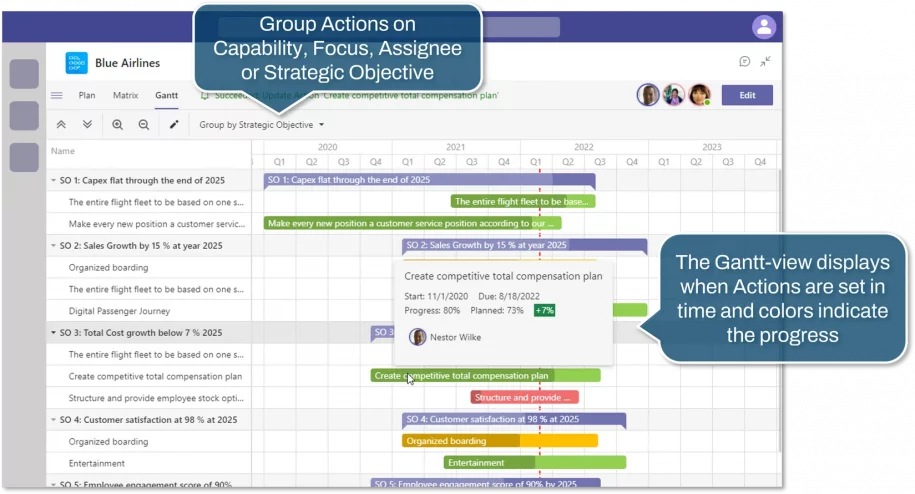
The Gantt-view displays when Actions are set in time and colors indicate the progress

VisPlan update New Gantt view and completed Actions

In this release, we introduce a completely new view – Gantt, and a new grouping in the sidebar for completed actions.

Gantt view

The Gantt view makes it significantly easier to see the plan’s actions placed in time and in relation to each other.

There are three different grouping options:

  • Capability – Ambition – Action By default, this mode is collapsed to Capability – Ambition level. Expand each Ambition to show the Actions.
  • Focus – The Actions are displayed grouped by each assigned Focus in alphabetical order
  • Assigned to – The Actions are grouped by the person it is assigned to. If an Action is assigned to multiple assignees, each person will appear as a heading in the list.
    This view is very effective when you want to look at all the Actions assigned to you.

Work in Gantt Edit mode

By entering the Edit mode, you can drag the bar for an Action and move it in time or adjust the ends to alter its duration. You can also adjust the smaller slider on an Action bar to alter % Complete. (if you do this for an Action linked to Microsoft Planner, % will be reverted again as it is supposed to be reported only in Microsoft Planner)

Grouping of Completed Actions in Sidebar

In the Sidebar, completed actions are now grouped at the bottom. These are collapsed and displayed in a lighter tone. To view them, expand the grouping.

VisPlan to Microsoft Planner

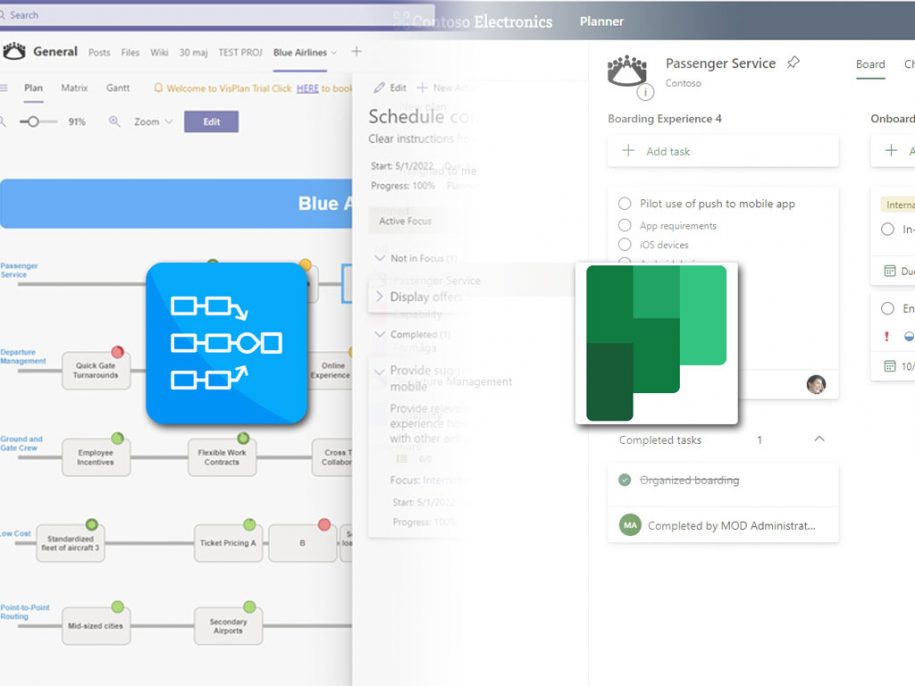
VisPlan and Microsoft Planner

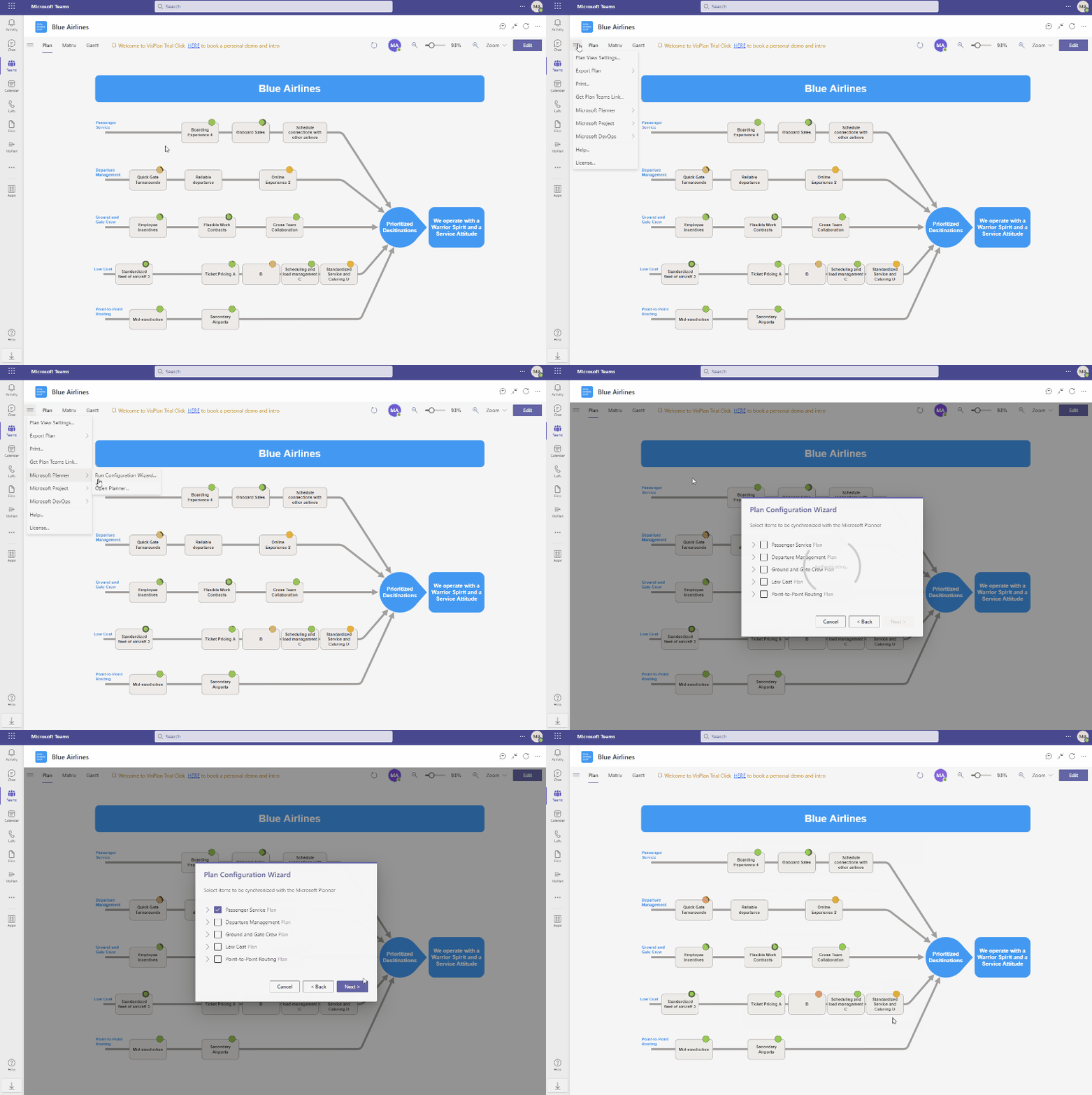
We are proud to announce that VisPlan for Microsoft Teams now allows users to automatically generate linked Microsoft Planner Plans from your main VisPlan visual master plan, for easy reporting back into VisPlan. 

Create Microsoft Planner Plans from VisPlan

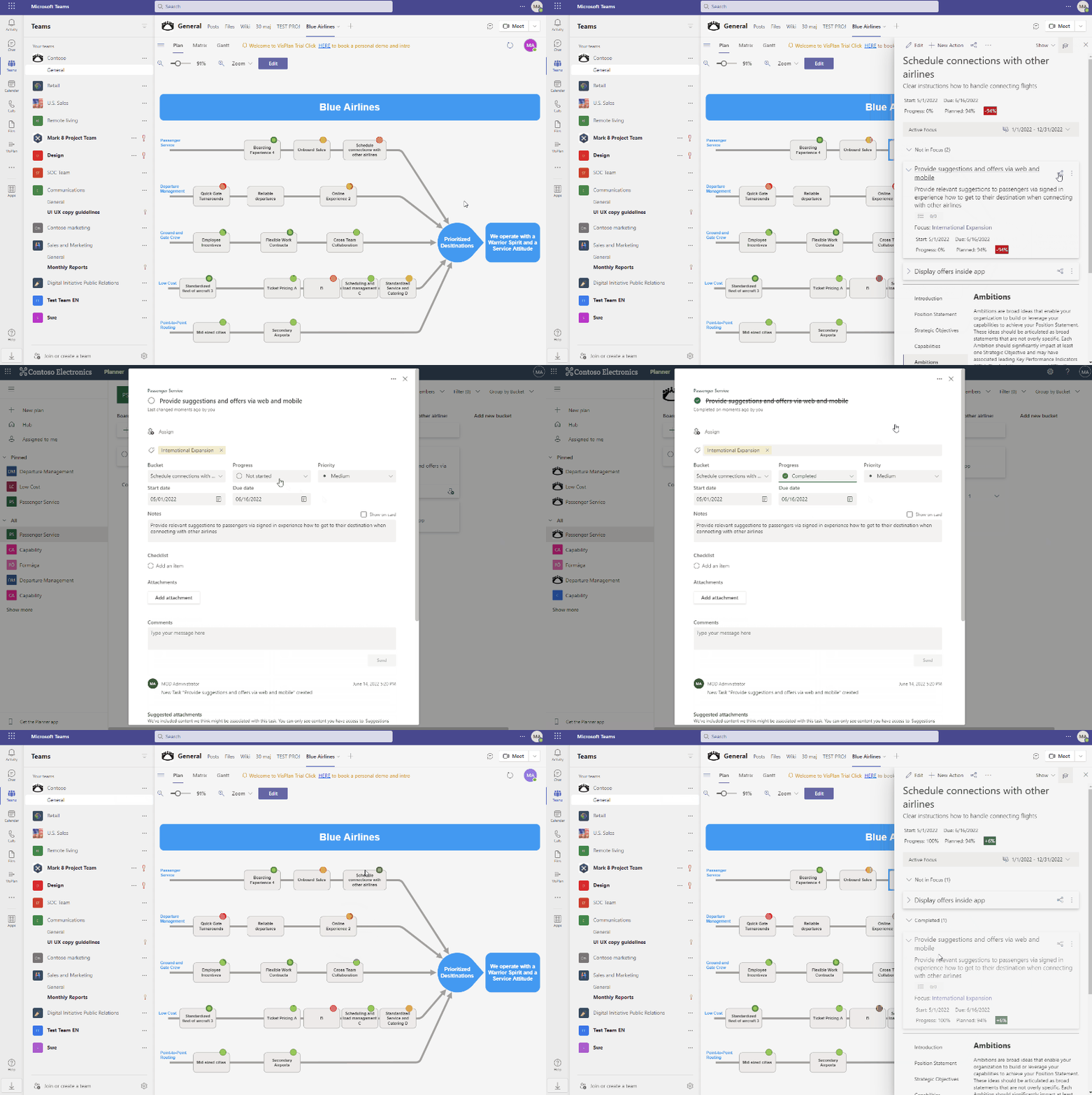
 The VisPlan Status indicators and Progress will be updated based on each Checklist item status as well as Actions/Tasks completed. This will allow organizations to have a broad and easy to use procedure of reporting on actions from Microsoft Planner and ToDo mobile Apps. 

Update progress from Microsoft Planner

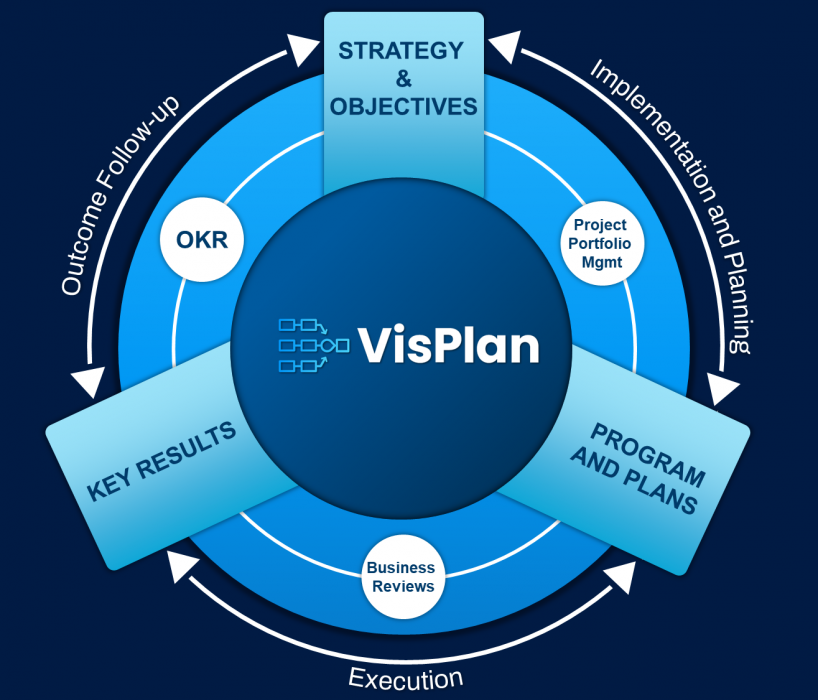
VisPlan is a Strategy- and Program Execution solution characterized by its powerful visual roadmap overview serving as the Master Plan. There is also a built in validation method to evaluate the overall effectiveness of your Plan versus Strategic Objectives. 

VisPlan helps all organizations bridge between Strategy formulation on one hand and Strategy communication and execution on the other.